Photogrammetry & Automated Imaging
Combine precise camera positioning, object rotation and focus control to automate complex image-capture workflows. From photogrammetry and focus stacking to product imaging and repeatable multi-angle capture, Moco Toolbox components can be configured into a system built around the needs of each project.
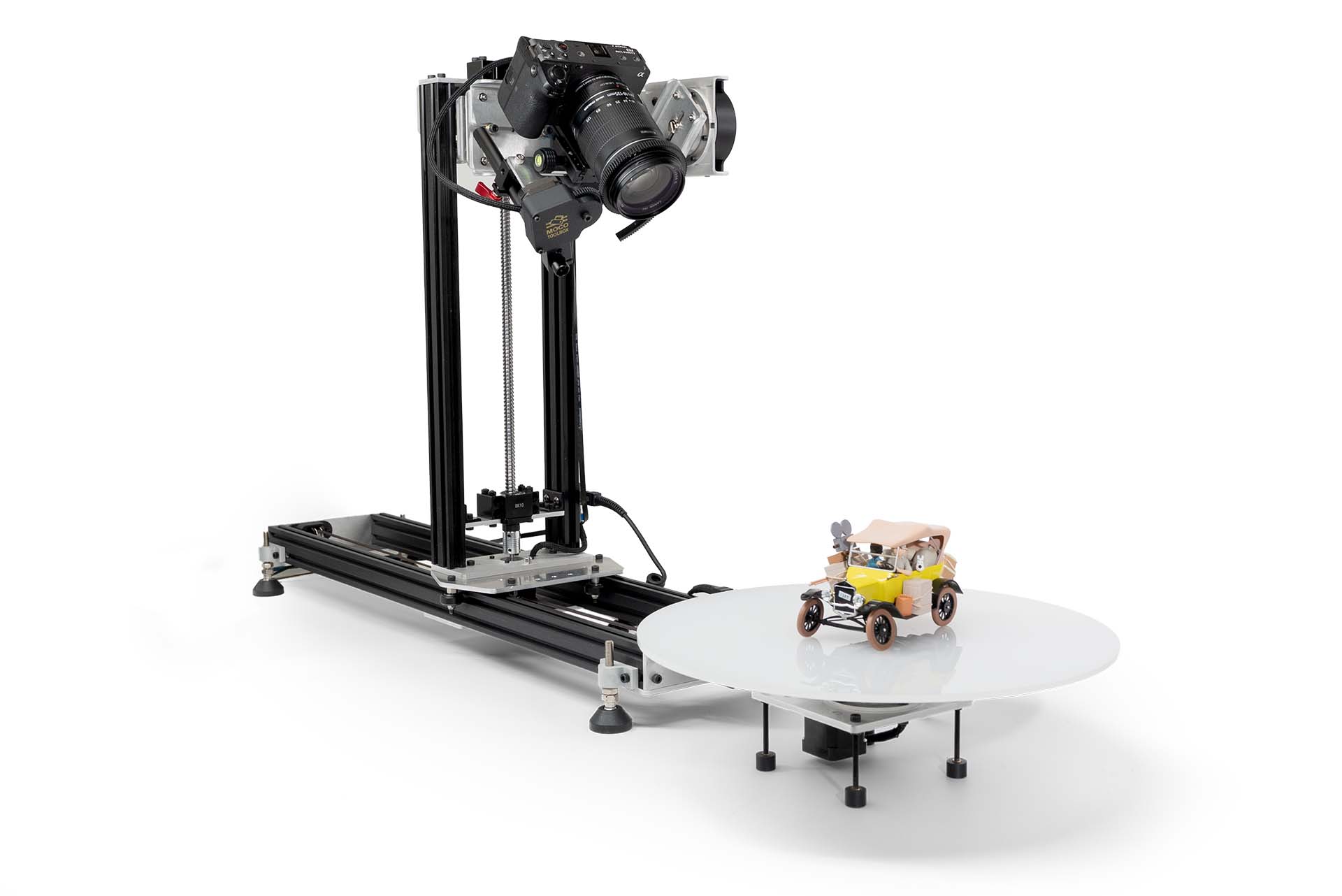
A Modular Imaging Setup
Combine horizontal and vertical camera motion, tilt, object rotation and focus into a coordinated multi-axis capture system. Each component can work independently or as part of a complete setup, allowing the system to adapt to different subjects, capture methods and image sequences.
Automated Image Capture
Instead of manually repositioning the camera, object and focus for every photograph, the controller coordinates the capture sequence automatically. Program camera positions, turntable angles and focus steps, then let the system move, settle, trigger the camera and continue through the sequence.
This makes it possible to automate workflows ranging from simple product turntable photography to multi-position photogrammetry and focus-stacked image sets.
This example demonstrates a simple automated capture sequence using 4 turntable positions and 4 camera positions, creating 16 images. The same workflow can scale to many more positions, incorporate focus stacking, and automate the capture of hundreds or thousands of images for detailed, high-quality imaging and photogrammetry.
Photogrammetry & Focus Stacking
Capture an object from multiple angles and camera positions for photogrammetry, while adding multiple focus positions wherever greater depth of field is needed. Camera movement, object rotation and focus stacking can become part of the same automated capture sequence.
One System. Coordinated Capture.
The MT6-5 controller coordinates motion, focus, camera triggering and external devices, while the computer app provides an interface for setting up and managing automated capture sessions. Build a sequence around the subject and workflow rather than manually repeating every movement and exposure.
From Capture to Organized Files
Large automated sessions can generate hundreds or thousands of images. Batch Capture keeps track of the programmed sequence, while the computer app can organize captured files by camera position, object position and focus step—making large image sets easier to manage and process.
Applications
Photogrammetry
Multi-angle object capture
Focus Stacking
Automated focus sequences
Product Photography
Repeatable angles and positions
360° Product Imaging
Automated turntable sequences
Multi-Position Imaging
Move the camera around the subject
Batch Image Capture
Repeatable high-volume acquisition